

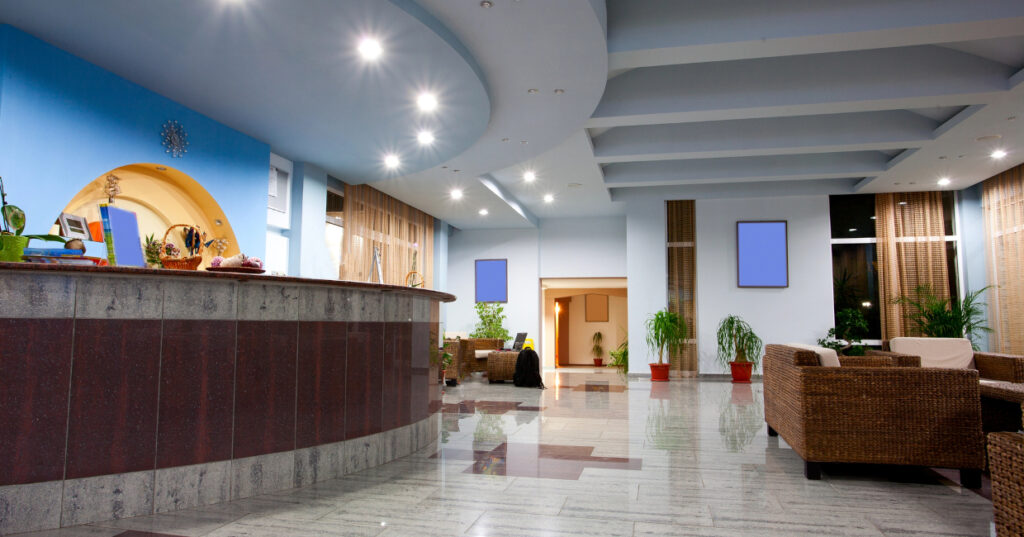

Digital signage can support everything from check-in and wayfinding to menus and guest information. While the content serves a practical purpose, the screen itself need not look like an afterthought.
Frames, materials, tailored content and considered placement can all help digital displays sit more naturally within hospitality interiors. The aim is not necessarily to hide the technology, but to make its appearance feel intentional.
Why Style Digital Signage?
Hospitality interiors often use materials, lighting and decorative details to create a particular atmosphere. Against that backdrop, a standard black screen or visible cable can easily stand out.
Styling offers ways to relate the display to its surroundings. A frame might pick up a material used elsewhere in the room, for example, while the on-screen graphics can reflect the venue’s colours and typography.
It can also help create a more consistent appearance where several screens are used. Hardware may not always be visually identical, particularly when displays are bought or replaced at different times. Using similar surrounds and coordinated content can give different screens a stronger visual connection.
4 Ways to Give Screens More Character
- Add a Surround
A frame is one of the simplest ways to change the appearance of a display. Timber, metal or acrylic surrounds can conceal some of the standard hardware and introduce finishes that relate to nearby joinery, wall treatments or brand colours.
The treatment can be subtle or decorative depending on the interior. A timber frame might suit a traditional or residential-style setting, while a slim metal surround could work within a more contemporary scheme.
When adding anything around a screen, it is worth checking the manufacturer’s installation guidance to ensure the treatment does not interfere with ventilation, sensors, or access.
- Coordinate the On-Screen Design
The screen itself provides another opportunity to connect digital signage with the wider interior and brand identity.
Typography, icons, colour palettes and imagery can be coordinated with other guest-facing materials rather than relying on a generic interface. Motion can also be used selectively where it helps communicate information or attract attention.
Legibility also remains important. Text size, contrast and the amount of information shown at once can all affect how easily guests can use the display.
- Consider the Screen’s Surroundings
Rather than mounting a display onto an otherwise finished surface, it can be useful to consider how it relates to nearby architectural and furniture elements.
A lobby display could, for instance, form part of a feature wall or wall-panel arrangement. Smaller terminals might be incorporated into reception desks, counters or freestanding furniture.
Even relatively simple details can make a difference. Concealed cable routes and carefully positioned power supplies can create a cleaner result than visible wires running from the screen.
- Explore Different Formats
Not every digital display needs to resemble a conventional television.
Portrait and square screens can offer alternatives to the familiar widescreen format, depending on the type of content being shown. A portrait display might suit directories or wayfinding information, while a square screen can provide a different canvas for artwork, menus or simple graphics.
Format can therefore become part of the visual composition rather than simply a technical decision.
Practical Details to Consider
Decorative elements still need to work with the equipment they surround. On interactive displays, for example, a deep frame could make areas near the edge of the touchscreen less comfortable to reach.
Access is another consideration. Screens, cables and other components may need attention over time, so removable surrounds or accessible fixings can be worth considering when developing the detail.
The display itself should also be appropriate for its intended use. Manufacturer specifications can help when comparing factors such as brightness, recommended operating hours, touchscreen features and suitability for particular environments. The relevant considerations will depend on whether the display is used as a menu board, a check-in kiosk, an information screen or another type of hospitality digital signage.
Lighting and positioning can affect the finished result too. Viewing a proposed screen location under the venue’s actual lighting conditions can help identify reflections, awkward sightlines or other visual distractions before the installation is finalised.
Making Digital Displays Part of the Interior
Styling digital signage does not have to mean disguising it. In some spaces, the screen may be deliberately prominent; in others, a more understated aesthetic may suit the surroundings.
The result is digital signage that serves a practical purpose while feeling more connected to the character of the surrounding space.